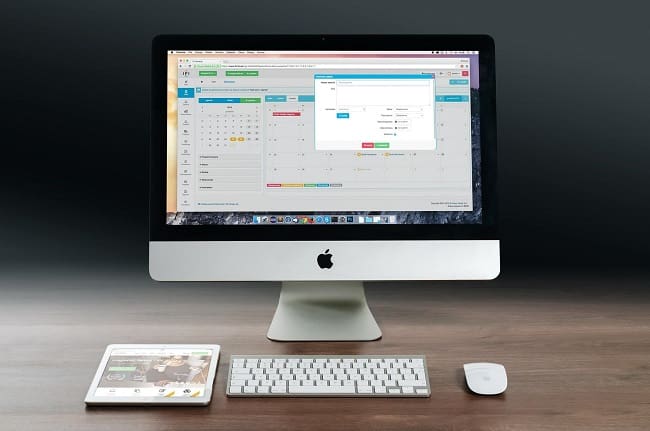
Relocating Computers Requires Following Some Rules
If this is your first time relocating and you don’t know how to pack fragile items, you should be aware of some basic rules. You want to prevent any possible damage, so the number one priority on your to-do list should be getting high-quality supplies. If you’re on a budget and your relocation expenses checklist is already full of different kinds of things you need to pay for, you can use some of the items you already have at your home – for example, blankets and towels.

Organize and Prepare Everything if You Want Things to Go Smoothly
Once you choose some of the cool neighborhoods in Seattle and find an ideal place for your new home, you can have a little going-away party with your friends and start planning your move. There is no way that your new apartment will feel like a home without your beloved computer inside, so you need to find a way to relocate it properly. According to your needs and budget, you can decide if you’re going to relocate on your own or you’ll invest in professional services.
After that, you should decide what other items you’re going to relocate, and if you find some things you don’t want anymore, you can even donate furniture in Seattle. If your PC is still in good condition and you want to bring it with you, or it has a lot of important data you have to keep with yourself, you should follow some of the steps mentioned below. It will probably be among the items you’ll use until the last day, so you’ll have to prepare everything for its protection in advance and be ready when the relocation day comes.
Do a Backup of the Data Before Moving Your PC
If you ever lost your computer or it somehow got broken, you know well that horrible feeling of losing important files. If you use your computer for personal needs, it might have pictures and videos from some important events, celebrations, and vacations. If you need it for your job in Seattle, it probably has data that keeps your business going. Should we go on? Modern-day life, unfortunately, isn’t manageable without important information you keep inside this electronic device – so you become kind of addicted to it.
You have to do everything in your power to secure your device and save your precious data. No matter how well you protect your device, there is always a small chance that something might go wrong, especially if you’re having a large residential relocation. That’s why it’s important to do a backup of your data. You can keep it on an external drive or do an online backup using one of many online storage platforms. Keeping your data in two different places is probably the best way to stay relaxed and overcome relocation stress.
Measure Your Device to Make a Custom Kit
Another important thing you should do before you start is measuring your device. If you threw away its original packaging as most people do, you could make your own perfect-sized package that will protect it in the best way possible. Do all the measuring in advance and decide if everything is manageable before you get down to work – containers you can buy may not be a perfect fit, so custom crating is the most convenient option. For this task, you should buy some cardboard, cut it in the right dimensions and use it as a DIY custom kit. Add enough padding after you put all the pieces together, and your computer will have the best protection.
You Shouldn’t Disassemble Your Device Before Packing
One of the common mistakes people often make when relocating a computer is disassembling it. You shouldn’t do this, especially if you’re not an experienced professional. Removing external parts that are used to protect software and fragile internal parts will make your computer even more vulnerable, so you should avoid this under any circumstances. Also, not to mention the possible complications once you get to your new home and try to assemble everything. There is no need to waste your precious time on this when you can enjoy some of the most beautiful parks or explore fascinating Seattle museums.
One of Many Life Saving Tips: Take Pictures Before Removing Cords
When relocating any kind of electronic device, you have to pay extra attention to cords and cables. These pieces often get messed up during the move because people don’t think about them as a part of the device. They are also one of the most commonly forgotten things to pack because many people leave them by the wall and forget to bring them at the end. Remove them carefully at the beginning of the process and put them in a separate bag or a box you’re going to take with you. Pro tip: take pictures of the back of your device. If you have pictures, it will be much easier to remember how to plug them in once you set up your computer in your new home.

The Next Step Is Getting All the Necessary Supplies and Materials for Packing Electronics
Wonder how to pack a computer for shipping or relocation? One thing is certain. You have to get quality packing supplies. You should invest in some quality materials to secure your belongings and ensure nothing gets damaged. You can get some of the materials specially designed for these purposes or improvise. You can adapt these supplies according to the type of your device and personal preferences, but you’ll definitely going to need:
- Bubble wrap,
- Tape,
- Paper padding,
- Paper,
- Moving blankets,
- Cardboard boxes,
- Zip-top bags,
- TV boxes (if you have a large monitor).

How Do I Pack My Computer to Move? Tips You Should Follow When Packing a Desktop Computer
If you want to move efficiently and want to know how do you safely pack a computer, you’ll have to follow this procedure carefully. Follow this brief step-by-step guide, and you’ll be done in no time::
- Turn off your computer and disconnect all the main cables,
- Wrap the disconnected tower with paper and secure it with tape, do the same thing with the monitor,
- Make sure you don’t put tape directly to the surface of the tower or to the screen,
- Put a few layers of bubble wrap or towels at the bottom of the box, and then place the device inside,
- Make sure it stays in an upright position and add cushioning materials such as crumpled papers to fill the empty space and prevent unwanted movements inside,
- Do a test movement to check if everything stays in place before securing the box,
- Ensure that the box is labeled so that everyone knows something fragile is inside and mark which side of the box goes up.
Don’t Forget to Protect Mouse, Keyboard, and Other Peripheral Devices
For peripheral computer components such as keyboards, mouses, or speakers, you can also follow some of the previously mentioned techniques and steps. Firstly, wrap the item in a towel or some other cushioning of your choice. Add a layer of bubble wrap that you’re going to secure with tape. Place a secured gadget inside the container and fill the empty space around it with additional cushioning materials. This video shows how to pack a monitor on your own, so take a look at it.
How to Pack a Laptop?
Almost everyone who has a laptop has a bag for it, which makes its transportation much easier. You can additionally use a laptop sleeve or some other type of case. The bag is specially designed to protect your device, so you should definitely use it when relocating your laptop. You can put it in a sleeve and then put it inside your essential bag with your soft clothes, towels, and other inventory to ensure it has maximum protection. Also, don’t forget to place your charger in the same bag because you don’t want to open all of the boxes once you get to your new home in order to find it – it should be by your side at all times during the process, especially because you might need it urgently.

How Do You Transport a Desktop Computer?
Now that you know how to pack a desktop computer for moving, you should consider the next step that follows the packing procedure. After everything is secured inside the box, you must be interested in how to safely transport a PC? If the tower is heavy, be careful with lifting it and think twice before you grab it. Find the best position and carry it carefully. If you find it too heavy or need to relocate other bulky objects along, you can always get a professional labor-only relocation service.
If you know how to pack a TV, some similar techniques can be applied to packing monitors. How to transport a PC? Make sure it stays in one place between two large furniture pieces but put nothing on top of its box. You can prevent unwanted movements inside the truck by using straps. Also, ensure that your PC stays in an upright position all the time. You’ll achieve this by marking it visibly on the box, so everyone will know which side goes up.
Is It Bad to Move a Desktop Computer?
It shouldn’t be bad if you follow all the mentioned procedures and steps. Relocating a computer can only harm it if you don’t protect it with good materials or skip some of the essential steps. Keep in mind that this procedure can be challenging, especially if you have many other responsibilities, so you should consider hiring professionals and enjoy their convenient packing service.

Hire Professional Moving Company in Seattle if You Don’t Know How to Pack a Computer for Moving
If you still don’t know how to move a desktop computer or think that professional packers and movers in Seattle can do a better job, you should definitely contact us as soon as you find enough reasons to move and finish organizing important documents. We are one of the highly-rated Seattle moving companies – our Seattle movers can teach you additional relocation hacks and give you convenient relocation tips. You only have to get familiar with Seattle renters’ rights and choose one of the best neighborhoods – leave everything else to us. Feel free to contact us to check what items movers won’t move and get a free quote. Call us if you have any additional questions and get our local relocation services right away.